
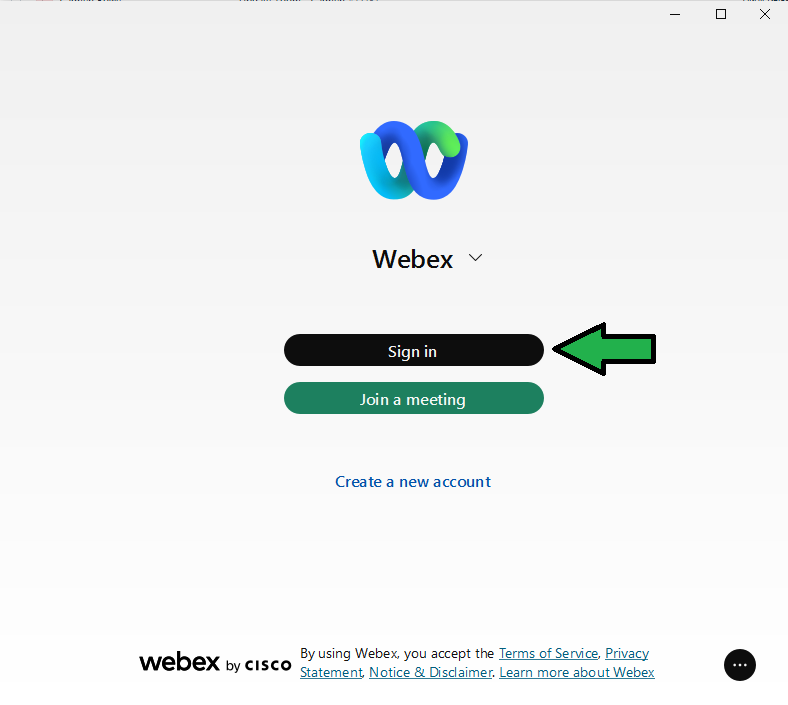
- Launch Webex on your phone or computer by clicking its icon.

- Select the "Sign In" button
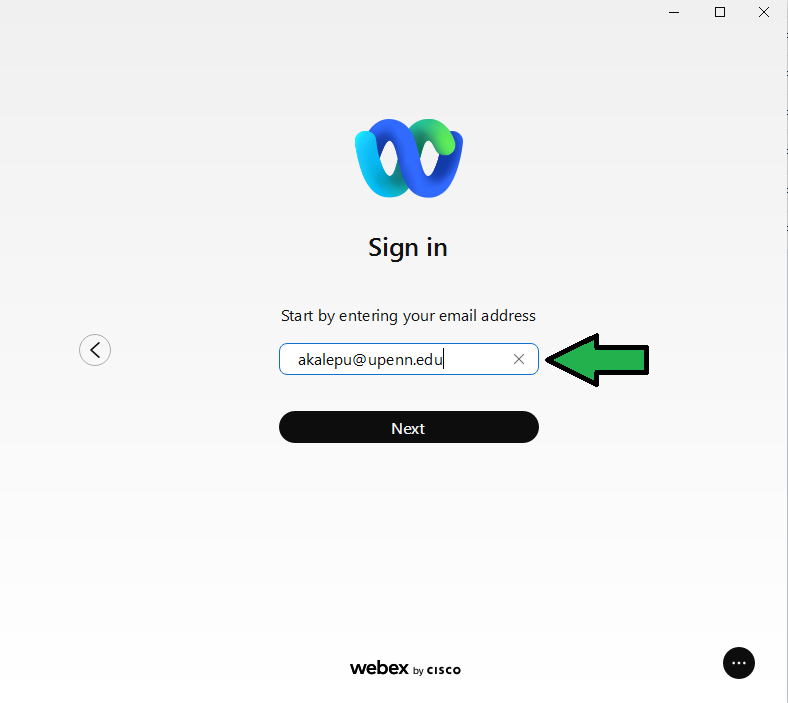
- Enter your Penn email address, select "Next"
 Login with your Pennkey and password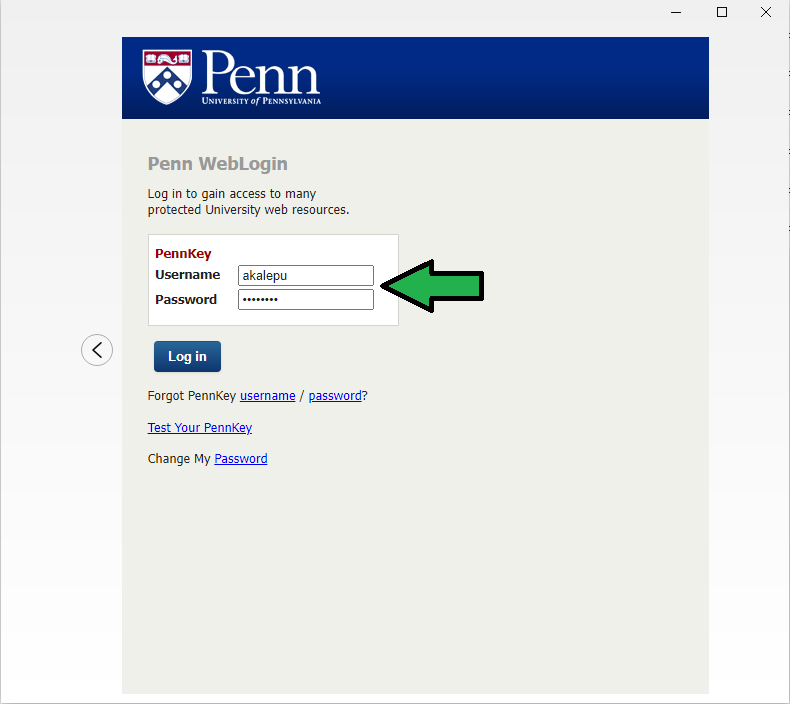
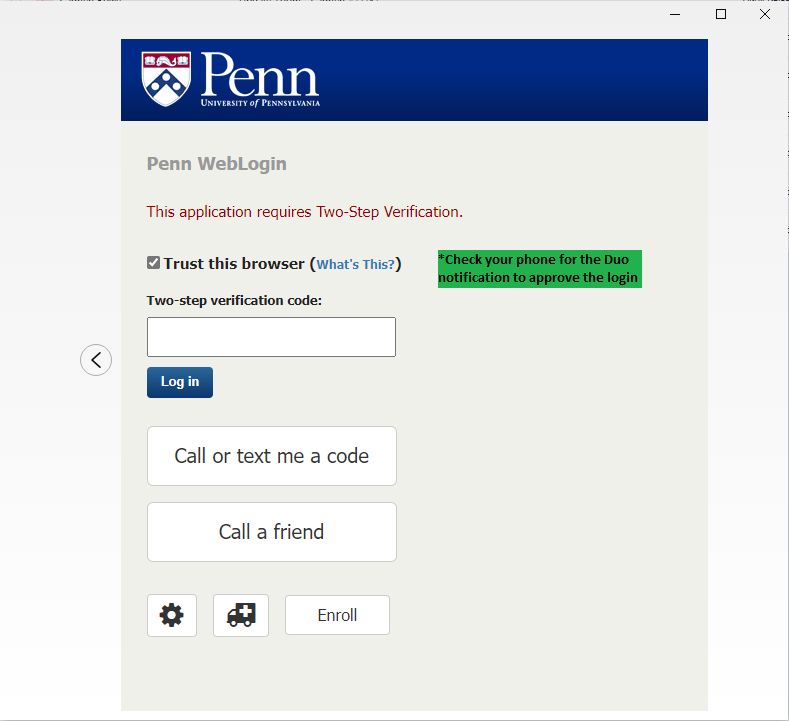
- Check your phone for the DUO notification and approve the login
Webex Desktop: Signing In Print
Modified on: Thu, 15 Jan, 2026 at 12:19 PM
Did you find it helpful? Yes No
Send feedbackSorry we couldn't be helpful. Help us improve this article with your feedback.